
Local password manager · Windows and Linux
An account gets hijacked. You change the password in seconds.
KeyPing stores each password together with the link where you use the account and the direct link to change it. When something goes wrong there is nothing to search for: open it, click, change.
KeyPing is available for Windows and Linux. There is no macOS or mobile version.
- No account, no cloud
- AES-256-GCM encryption on your device
- Free and open source (MIT)

Why it exists
When you panic, nobody can find where to change the password
I built KeyPing for myself. I spend many hours at the computer, gaming and coding, and more than once someone has taken over a Discord or game account of mine.
It was always the same: you panic, you do not react fast and you cannot find where the password is changed. Now every account has its change link saved and it is one click away, right when I am not thinking clearly.
Unax Zulaika Fuente, author of KeyPing
Emergency plan
What to do when an account is at risk
Five steps and no digging through settings menus. Real KeyPing screenshots with made-up data.
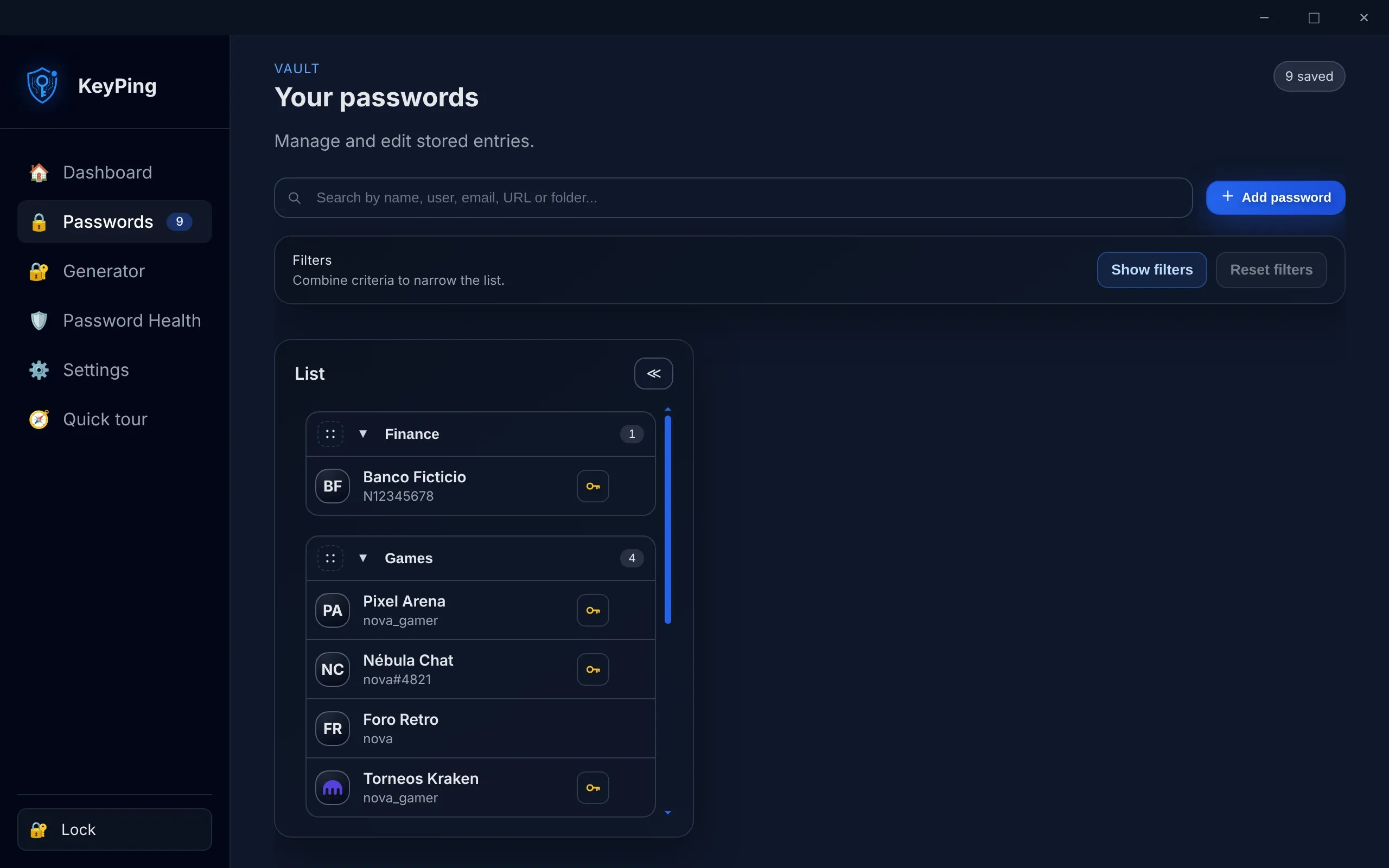
Open KeyPing
Unlock the vault with your master password. Accounts are grouped in folders, and those with a change link show a key.
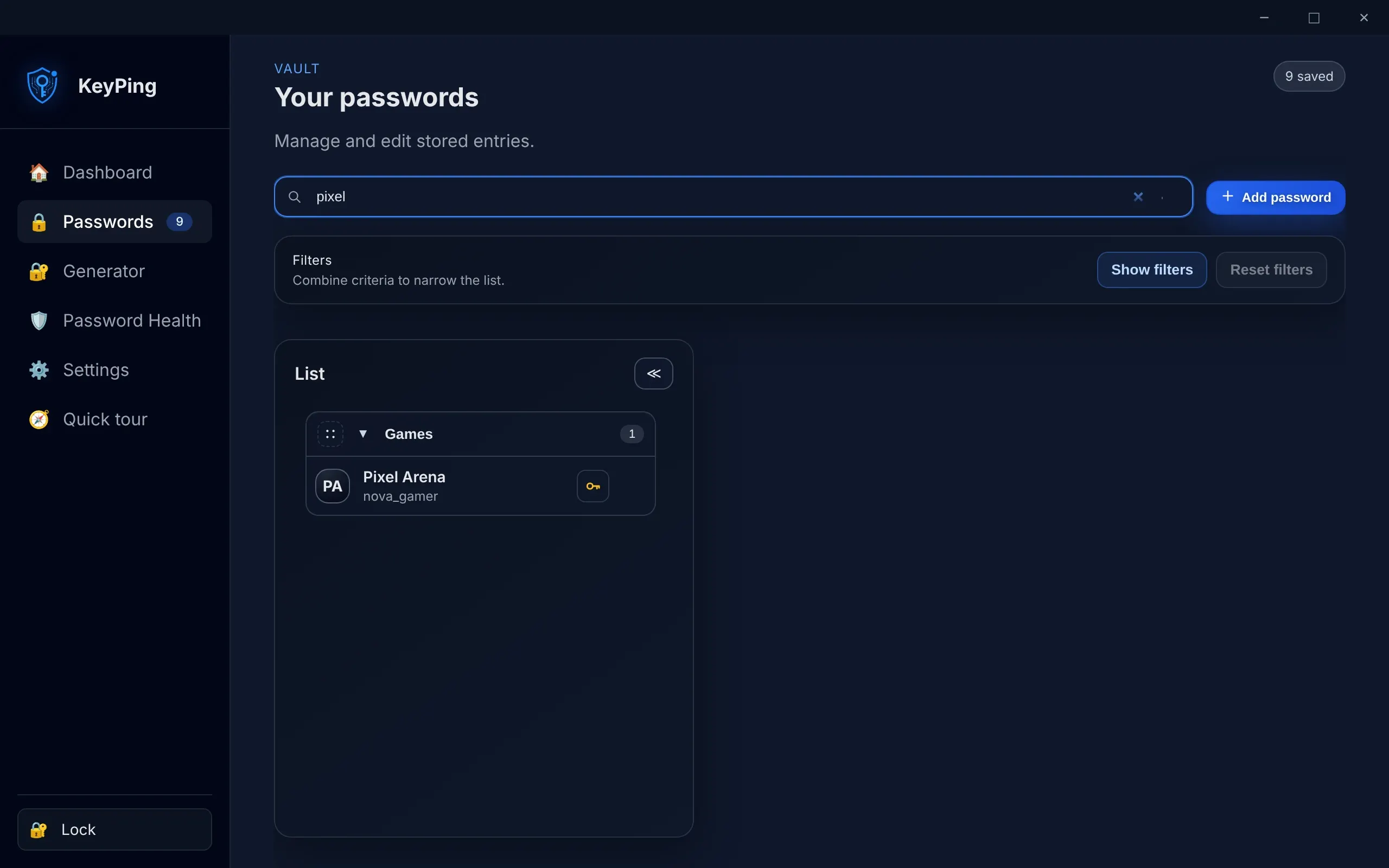
Find the account
Type part of the name, username, email or website. The list filters as you type.
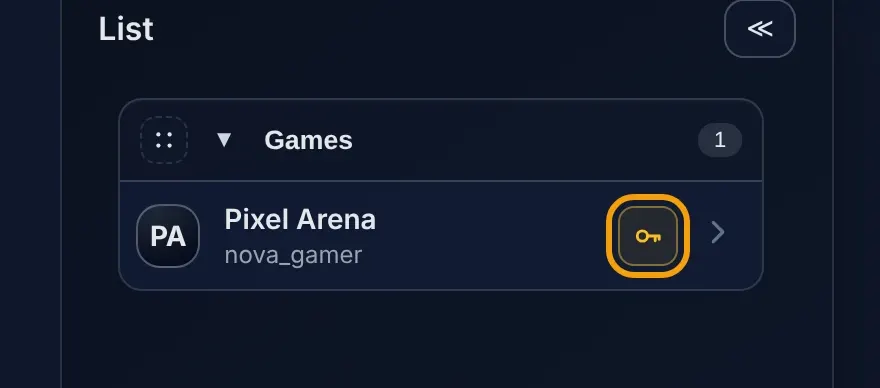
Click the key
One click on the key, right in the list, and KeyPing opens in your browser the exact page where that password is changed: the one you saved with it. No need to open the entry; inside it, the same link is on the “Change password” button.
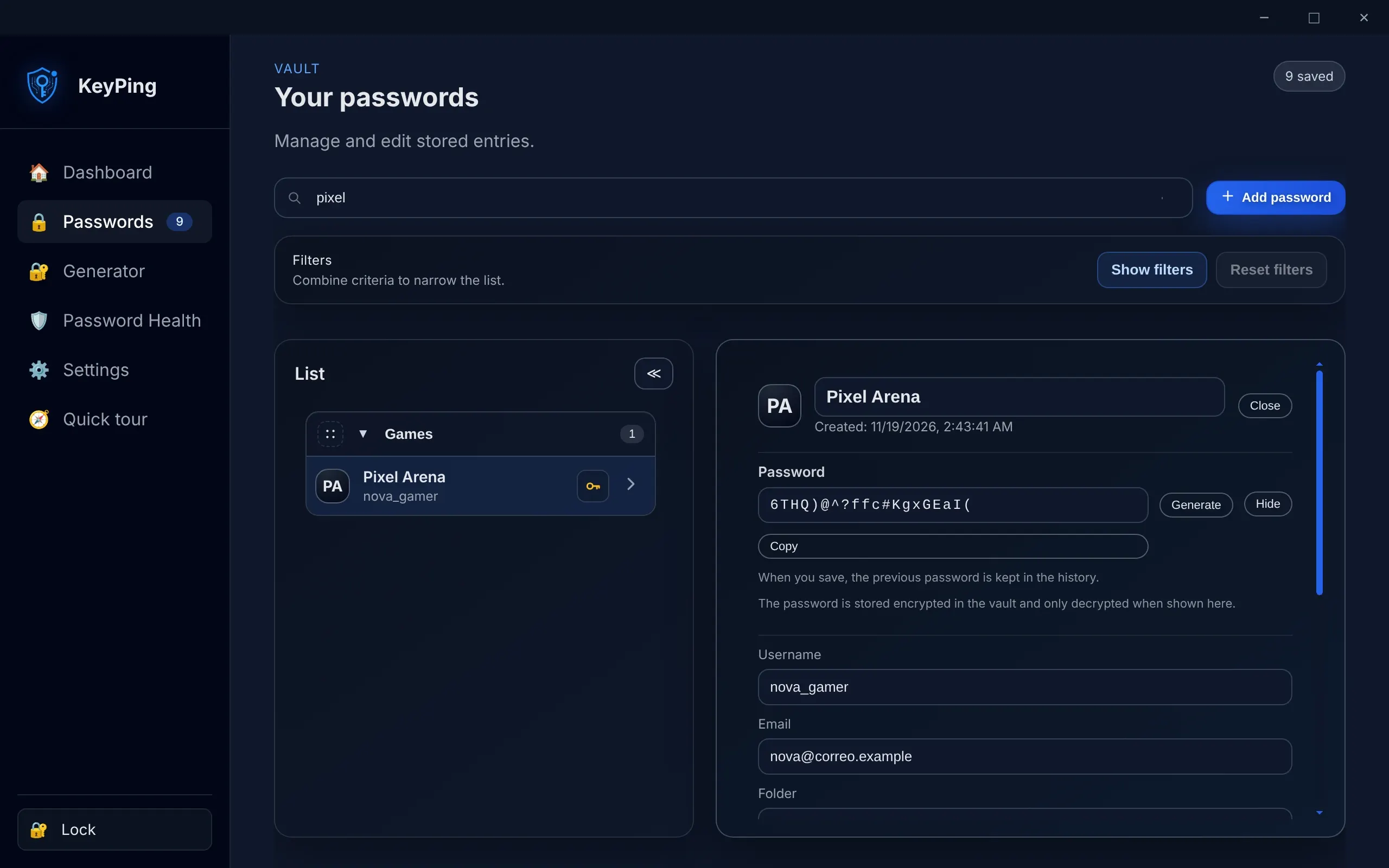
Generate a new password
Open the account in KeyPing, click “Edit” and then “Generate”. It comes from the operating system’s cryptographic random number generator; copy it and paste it on the website.
Save it with history
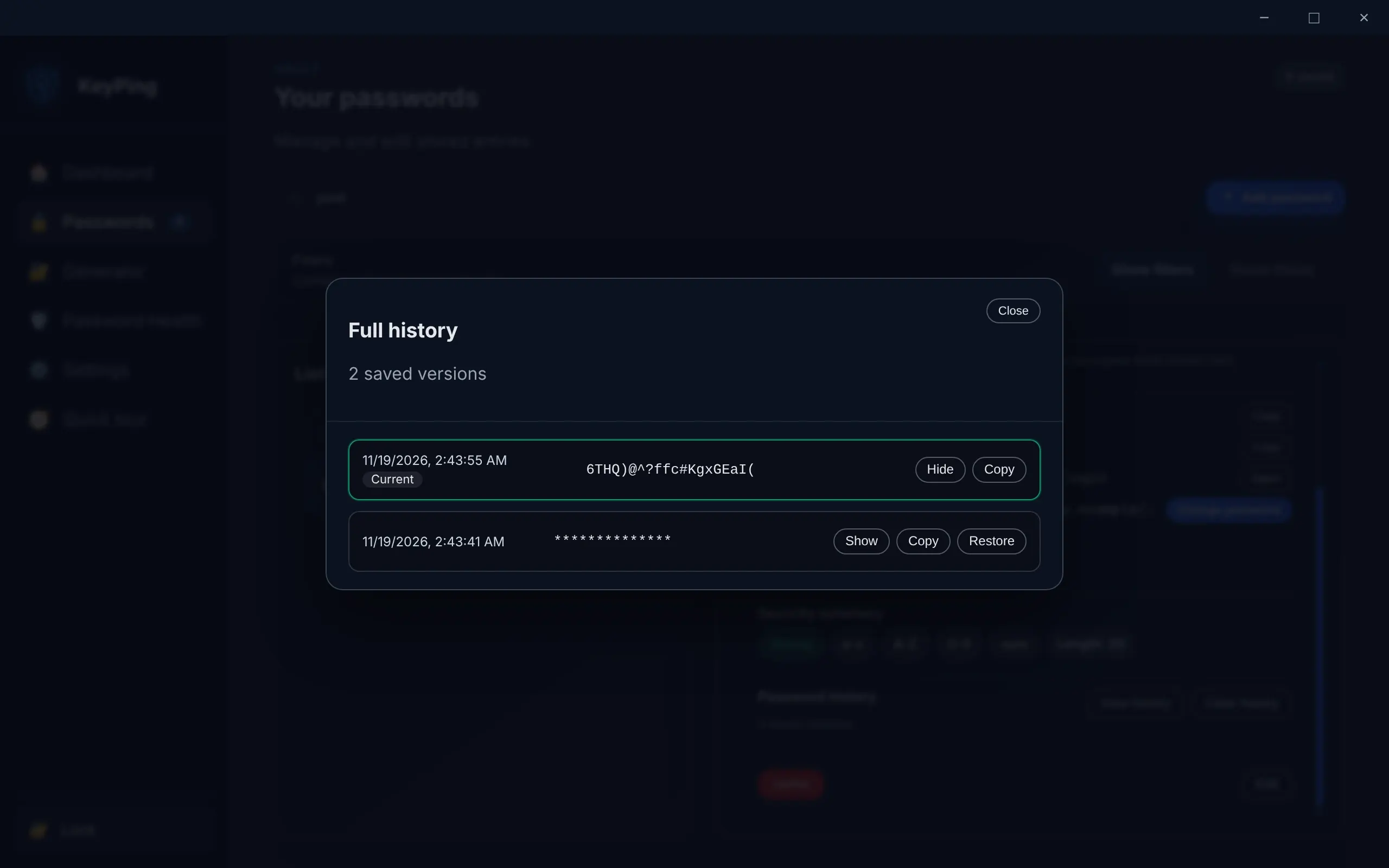
When you save, the previous password stays in that account’s history, in case the change on the website does not go through.


Features
More than a place to store passwords
Everything listed here is in the current version.
Login and change links
Each entry stores where you sign in and where the password is changed. The change link is also a shortcut in the list.
Password health
A 0–100 score for the vault and alerts for weak, short or low-variety passwords and accounts without 2FA noted.
Reused and similar
Finds repeated passwords and near-identical variants, even with swaps such as “a” for “4” or “o” for “0”.
Per-password history
Keeps previous versions of each account (20 by default, configurable from 1 to 200) and lets you restore them.
Folders
Organise accounts in folders and move them with drag and drop.
Generator
8 to 40 characters with the uppercase, lowercase, digits and symbols you choose.
Self-clearing clipboard
Copied secrets are wiped after 20 seconds if still on the clipboard, and when the vault locks. On Windows it also tries to keep them out of clipboard history (Win+V).
Encrypted backups
Export the vault to a file encrypted with your master password and import it on another computer, merging or replacing entries.
Auto-lock
Locks after a period of inactivity (1 to 30 minutes) and when the system suspends or the session is locked.
Spanish and English
Full interface in both languages.
Demo mode and tour
With an empty vault you can browse sample data, and a guided tour explains each screen.


Privacy
Your passwords never leave your computer
- No account, no server, no sync.
- Vault encrypted with AES-256-GCM using a key derived from your master password with PBKDF2-HMAC-SHA512 (600,000 iterations).
- No analytics or telemetry. The app only connects to check for new versions (you can turn it off), with one Linux exception still to be fixed.
- Updates are only installed if their metadata carries a valid Ed25519 signature.
Open source, no small print
KeyPing is free and its source code is on GitHub under the MIT license: you can read it, build it and suggest changes. There is no paid tier, no ads and no data collection.
Developed by Unax Zulaika Fuente. More projects at zula.dev.
Set up your emergency plan before you need it
KeyPing is available for Windows and Linux. There is no macOS or mobile version.